The LuckyBets app is currently available for Android as an APK, so Zimbabwean players don’t need to use Chrome each time they want to place a bet. The app itself takes up just over 8 MB after installation, and our first surprise was how smooth it feels despite squeezing plenty onto the screen.
Casino games and sports betting options are easy to find, and the menu is always within reach. This guide covers the download and installation process, common APK problems, payments, and what LuckyBets was like during our hands-on testing.
LuckyBets App at a Glance
You get a surprisingly compact Android app, considering the massive selection of games, sports, and options LuckyBets packs into it. We tested version 9.8.3 and summarized what we found in the table below.
| Android app | Available |
| APK size | 3.86 MB |
| Download source | Official LuckyBets Website |
| Google Play | No |
| iPhone app | No |
| Mobile alternative | Mobile Browser |
| Sports betting | Yes |
| Live betting | Yes |
| Casino | Yes |
| EcoCash | Yes |
| Our standout feature | Smooth sports-to-betslip flow |
Last checked: September 15, 2026
How to Download the LuckyBets App
You won’t find LuckyBets on Google Play, but you can download its Android APK directly from the betting site. We followed the process ourselves, starting from the LuckyBets mobile site and installing the app on an Android phone.
1. Go to LuckyBets
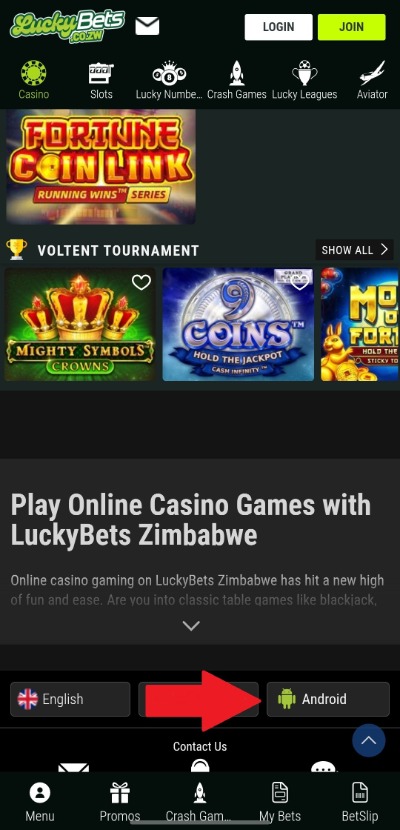
Click the button below to open the official LuckyBets website, then scroll to the bottom of the homepage. Tap the Android logo to open the LuckyBets app download page.
2. Download the LuckyBets APK
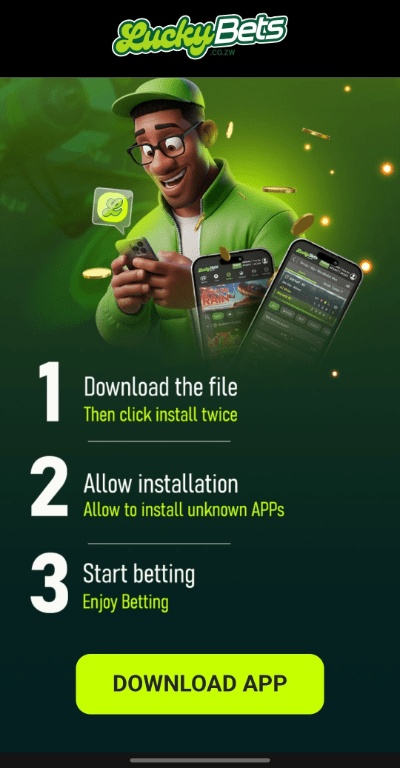
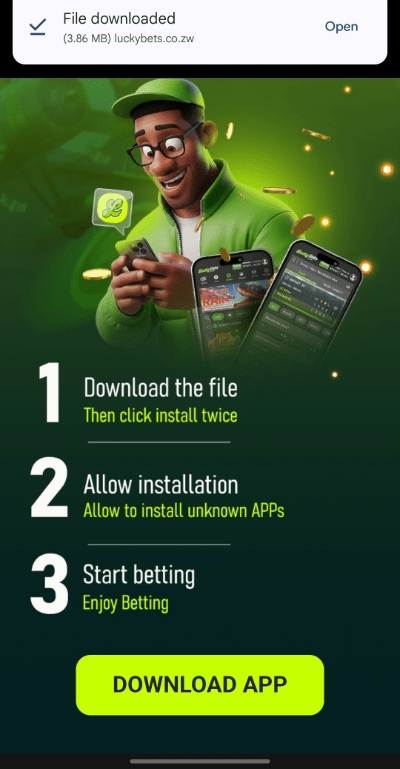
Tap Download App on the download page. During our test, Chrome displayed the luckybetscozw.apk file and asked us to confirm the download. The APK is only 3.86 MB, so the download itself should be fairly light on your data.
3. Open the APK
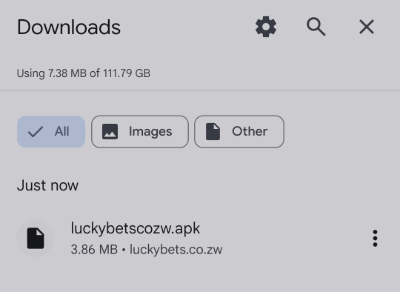
Once the download finishes, tap Open from Chrome or find the APK in your Downloads folder. Android should then launch the package installer.
Don’t worry if installation gets blocked at this point. That’s exactly what happened during our test, and we’ll show you how to fix the relevant Android security settings below.
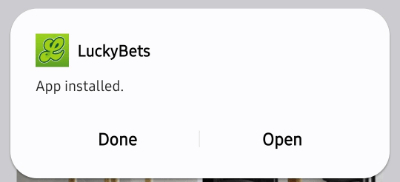
4. Install and Open LuckyBets
Once Android allows the installation, tap Install. The process was quick in our test, after which we could open LuckyBets directly from the installer.
5. Log In or Register
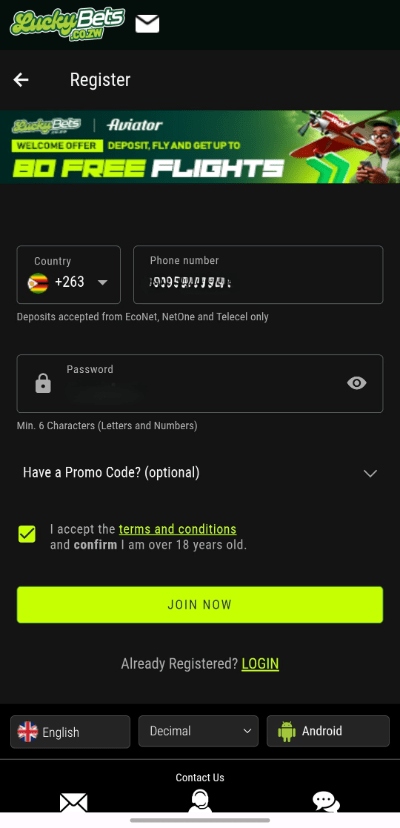
Open the app and sign in to your existing account. If you’re new to LuckyBets, you can register first and then start using the sportsbook and other sections of the app.
App Not Installing? Try This
LuckyBets downloaded without trouble in our test, but the Android system didn’t immediately let us install it. Because the app comes as an APK rather than through Google Play, you may need to change a couple of security settings first.
Allow Installation from Your Browser
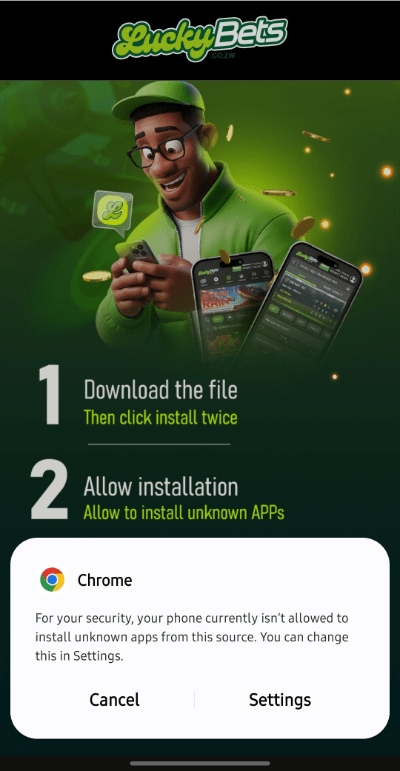
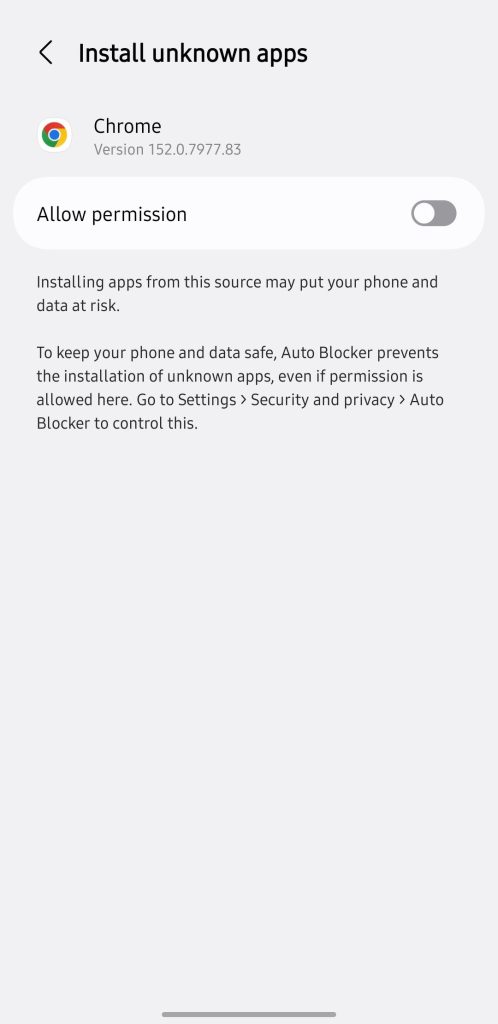
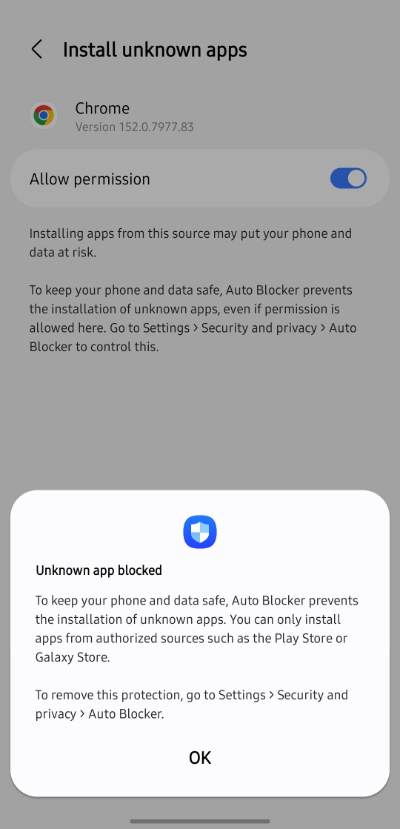
Our first attempt produced a security message saying the phone wasn’t allowed to install unknown apps from Chrome. Tapping Settings took us directly to the relevant permission, where we enabled Allow from this source.
Your phone may use slightly different wording depending on its Android version and manufacturer.
Check Auto Blocker on Samsung
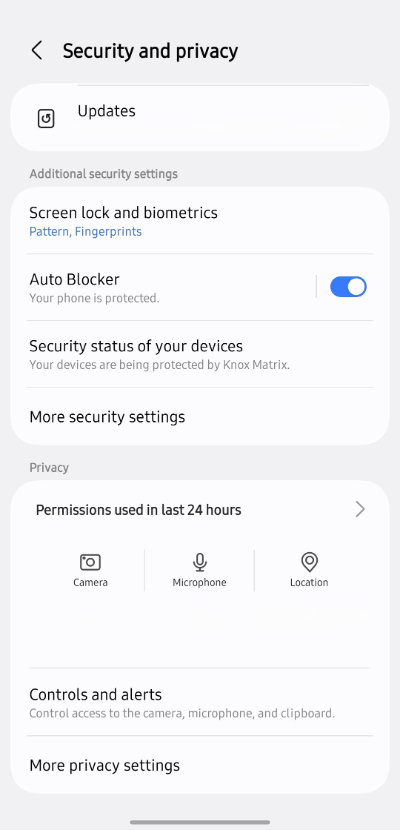
This caught us out. Even after allowing Chrome as a source, our Samsung still blocked the LuckyBets APK because Auto Blocker was enabled.
The warning provided a shortcut to Settings, where we temporarily switched Auto Blocker off. We could then return to the downloaded APK and install LuckyBets normally.
Still Can’t Install It?
Don’t start hunting for another APK on Google. First, delete the failed download and get a fresh copy through the official LuckyBets site. You can also check that your phone has enough free storage and restart it before trying again.
Using the LuckyBets App
You won’t struggle with the installation if you provide the permissions we covered in the previous section. Using the LuckyBets app is even smoother than you’d expect. It packs plenty onto a small screen, but you never have to work too hard to find the important stuff.
Navigation and Performance
You can move between Sports, Casino, Slots, Crash Games, Lucky Numbers, and Aviator from the main navigation. The sports menu goes deeper, with country and competition filters helping you quickly narrow down a busy football schedule.
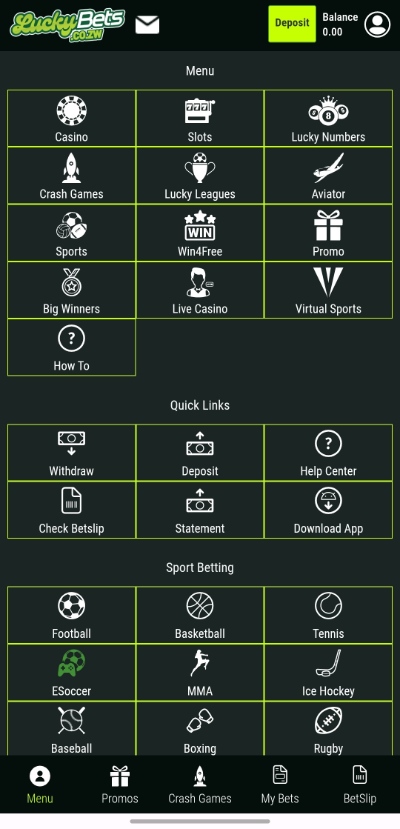
Pages responded smoothly during our test, and we didn’t experience crashes or noticeable lag. The persistent bottom menu also keeps My Bets and your BetSlip within easy reach.
Placing a Bet
Tap the odds beside your selection and LuckyBets immediately adds it to your betslip. A counter on the BetSlip button shows how many legs you’ve picked, so you can keep browsing without repeatedly opening it.
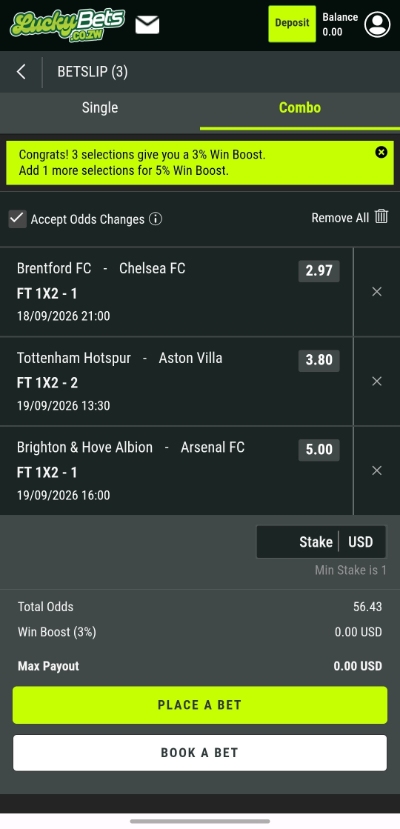
Once inside, you can enter your stake and see the potential payout. Our three-leg accumulator also displayed its 3% Win Boost directly in the betslip, making it clear how the bonus affected the potential return.
Casino, Live Betting, and Extras
Switching from sports to casino games takes just one tap. We could browse slots and open games directly in the app, with dedicated sections also available for crash games and Aviator.
Live events are similarly accessible from the sportsbook, alongside your bet history and results. Overall, the smooth sports-to-betslip flow is LuckyBets’ standout feature for us.
Deposits and Withdrawals
You don’t need to leave the LuckyBets app to reach the cashier. Tap Deposit from your account menu, and you can choose between EcoCash, InnBucks, O’Mari, and Shop Cash.
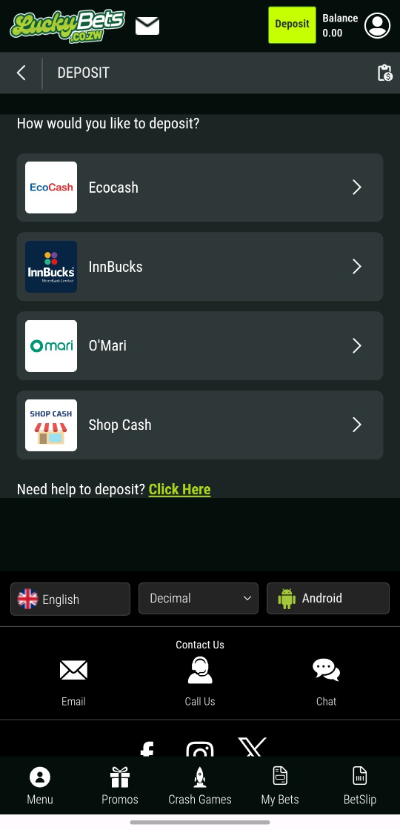
We tested the EcoCash betting option, which has a $1 minimum deposit. Your registered mobile number is prefilled, and you enter the amount before tapping Deposit.
LuckyBets also displays the EcoCash confirmation instructions directly underneath. Withdrawals have their own button in the same account menu, so the cashier is easy to find.
LuckyBets is Worth the Install
LuckyBets surprised us once we got past the Android security prompts. The app runs smoothly, sports are easy to filter, and the always-accessible betslip makes building an accumulator feel particularly slick. Switching over to casino games, Aviator or Lucky Numbers is just as straightforward.
The main downside is the installation itself. Downloading an APK requires a little more effort than grabbing an app from Google Play, especially if your phone blocks unknown apps.
Still, at only 3.86 MB to download, there isn’t much commitment involved. If you regularly bet with LuckyBets, we’d pick the app over keeping another browser tab open.
LuckyBets App FAQs
❗ Why won't the LuckyBets APK install?
Android may block APK installations from Chrome. Allow installation from that source in your settings. Samsung users may also need to temporarily disable Auto Blocker.
🎮 Is the LuckyBets app on Google Play?
No. We couldn't find LuckyBets on Google Play during our test. The Android APK is instead available through the official LuckyBets website.
⚙️ Can I use the LuckyBets app on iPhone?
There isn't a LuckyBets iPhone app. You can still use the mobile website in Safari and add it to your home screen for quicker access.