Using betting apps in Zimbabwe makes placing a quick bet much easier, but finding the right app is not always straightforward. Some sites have downloadable Android APKs, and others allow you to create a browser shortcut on your home screen.
Compare MWOS, AfricaBet, LuckyBets, Spin City, and PremierBet by the features you actually use: fixtures, betslips, casino games, and local payments. Below, you’ll find five mini reviews, fuller app guides, and Android and iPhone setup instructions.
| Bookmaker | Bookmaker | Bonus | Play |
|---|---|---|---|
 | MWOS | 100% Deposit Match up to $500. 100 Free Aviator Flights | Bet Now |
 | AfricaBet | 50% Deposit Match up to $100 | Bet Now |
 | LuckyBets | Up to 80 free Aviator Flights | Bet Now |
 | Spin City | 20 Free Spins | Bet Now |
 | Premier Bet | 150% Deposit Match up to $150 + 50 Free Spins | Bet Now |
What Betting Apps Offer Zimbabwean Players
Good bet apps in Zimbabwe put casino games and sports betting options directly on your phone. You don’t need to load Chrome or another internet browser to search for and access betting sites.
Your sportsbook sits alongside your other apps, so getting back to a match or live bet takes fewer taps. You can check odds, build a betslip, follow live events, and manage your account without repeatedly navigating through a browser. A well-optimized app can also feel cleaner and quicker than betting through several browser tabs.
There are a few ways to get that experience. Android APKs install an app through the bookmaker’s official download route. A home-screen shortcut opens the mobile website, and PremierBet also has a Zimbabwe App Store listing for compatible Apple devices. These options can look similar on your phone, but use different installation processes.
Best Zimbabwe betting apps compared
The choice between an APK and a browser shortcut is only part of the story. File size matters when you are watching your data, and each app has its own reason for making the shortlist. Our quick comparison puts those differences side by side below.
| App | Android | iPhone | Useful for | Full review |
|---|---|---|---|---|
| MWOS | Official Android APK | Safari / mobile website | Football, live events and tickets | MWOS app guide |
| AfricaBet | Official Android download | Safari / mobile website | Market choice and casino shortcuts | AfricaBet app guide |
| LuckyBets | Official Android APK | Safari / mobile website | Building and reviewing a betslip | LuckyBets app guide |
| Spin City | Official Android APK | Safari / mobile website | Casino browsing and crash games | Spin City app guide |
| PremierBet | Official Android download | Zimbabwe App Store or mobile website | Sports, casino and rewards | PremierBet app guide |
Download sizes change between versions, and the installed app can store extra data and cache. For choosing an app, the download route and the features you use are more useful than comparing old file sizes. Live odds, game sessions, and payments still need an active connection.
Compare Zimbabwe’s Betting Apps
Choose an app around the screens you use most. The mini reviews below compare sports navigation, casino access, payment tools, and installation options, with links to the full guides.
1. MWOS: Football and Ticket Access
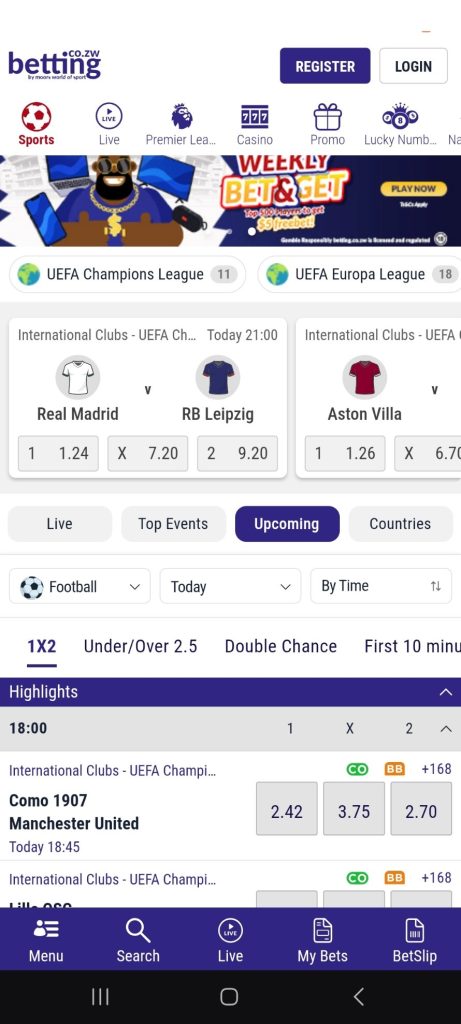
MWOS is a useful fit if you spend most of your time checking football fixtures and existing tickets. Sports and Live have separate routes, and the Premier League shortcut saves you from working through several menus. You can search for teams, events or leagues, then review your selections in the betslip before choosing a stake.
Casino, Live Casino, Aviator, and Navigator also have direct menu shortcuts, so the sportsbook does not limit your game choices. Android users can get the APK through the official download page and use their existing Moors login. On an iPhone, use the mobile website or save its Safari shortcut. Our MWOS app download and review covers setup, ticket access, and troubleshooting.
2. AfricaBet: Detailed Football Markets
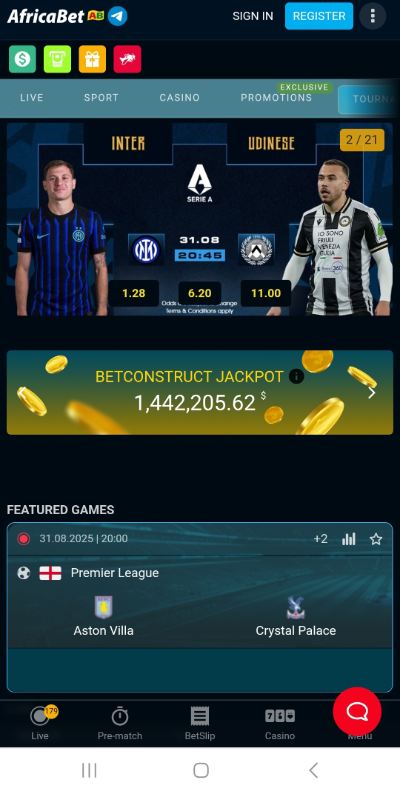
AfricaBet suits you if you like opening a match and comparing several ways to bet. The Premier League shortcut takes you into English football, and an individual event can include match result, double chance, draw no bet, and different goal lines. Live Event View and the Live Calendar give you separate ways to follow in-play events and upcoming coverage.
Aviator, Casino and Live Casino have their own navigation links. Android downloads are available through AfricaBet, and iPhone users can use the mobile website. Keep your connection active for prices and account updates. Our AfricaBet Android app guide explains the download and installation route, and the EcoCash deposit walkthrough helps with the cashier.
3. LuckyBets – Best for a Smooth Betslip
LuckyBets packs plenty into a lightweight 3.86 MB Android APK. Sports betting was particularly smooth in our test: you can filter fixtures by country and competition, add picks quickly, and watch the betslip counter update as you build an accumulator. Applicable boosts also appear directly in the betslip.
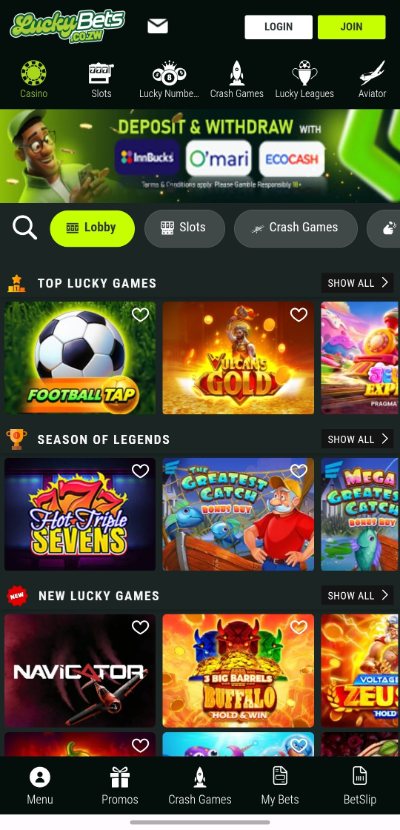
Casino players aren’t tucked away in a separate corner either. You can switch between Casino, Slots, Crash Games, and Aviator from the main navigation. Aviator even has a demo option, so you can get familiar with the game before playing with money.
Installation takes a little more effort because the APK isn’t on Google Play. Our LuckyBets app review covers the full download process, including the Android security settings that caught us out during testing. Once installed, though, the app was quick, responsive, and easy to move around.
4. Spin City: Casino and Crash Games
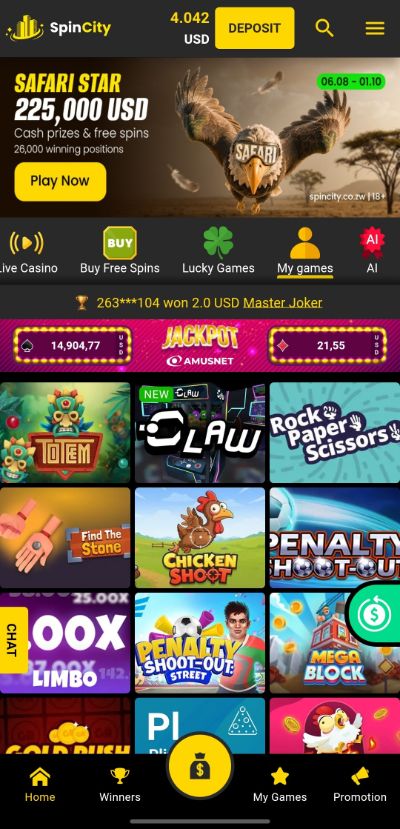
Spin City is the casino-focused option on this shortlist. Search gets you to Avrika, Aviator, or Chicken Road 2 without browsing the full catalogue. Crash Games, Slots, Live Casino, and Providers help you narrow the choice, and Practice is available on supported games before you switch to cash play.
The Android app’s Home, My Games, and Promotion shortcuts are useful for returning players. You can also open payment options and transaction history without leaving the mobile experience. The version previously tested had a very small 199 KB app footprint, but the download and stored data can change with updates. Our Spin City app review covers installation, update prompts, and account tools.
5. PremierBet: Sports, Casino and iPhone Access
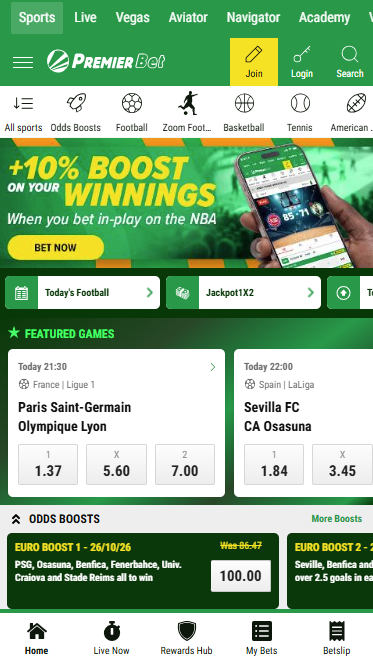
PremierBet combines sports, casino games, and Rewards Hub in one mobile account. The betslip brings selections, stake, and possible return together, and the account area gives you routes to deposits, withdrawals, and transaction records. That makes it a useful option if you want to switch between match betting and casino play.
Android users can follow the Zimbabwe website’s official download route. Premier Bet Sports Betting also has a listing in the Zimbabwe App Store, giving compatible iPhone and iPad users a store-based option. You can still choose the mobile website. Our PremierBet app download guide explains both systems and the account features to look for.
How to Download Betting Apps
Start with the bookmaker’s Zimbabwe website for its official installation options. Android users can follow an APK download route where available. For PremierBet on an iPhone or iPad, use its Zimbabwe App Store listing; for the other sites, a Safari home-screen shortcut provides quick access to the mobile website.
Download an APK on Android
The exact process slightly differs between betting sites, but the basic process is similar. With Android, you may have to go through a couple of security checks between downloading the APK and using the app.
- Visit the bookmaker’s official website.
- Find the Android or app download option.
- Tap the download button and confirm the APK download.
- Open the completed APK from your browser or Downloads folder.
- If prompted, allow your browser to install unknown apps.
- Complete any additional Android security checks and tap Install.
- Open the app and log in or register.
Add a Betting App to iPhone
There are no iPhone APKs, since APK is an Android format. If a bookmaker doesn’t offer an iOS app, open its mobile site in Safari, tap Share, select Add to Home Screen, and confirm.
You’ll then get an icon on your home screen that takes you straight to the bookmaker’s mobile site.
How we test Zimbabwe betting apps
Our hands-on checks of available apps cover installation, navigation, games and account tools. We also check official download information. A browser walkthrough or an official App Store preview helps explain the interface, but it is separate from an installed-app test.
Download and Installation
We record the APK size, where you get it, Android security prompts, permissions and any installation problems we encounter.
Sports Betting
We find fixtures, explore markets and build a bet through to the betslip. We also check useful extras such as live betting, bet history, bonuses, and cash out where available.
Casino and Crash Games
We switch between the sportsbook and casino, open games and check how easily you can reach popular options such as Aviator and other crash games.
Deposits and Withdrawals
We check which payment methods you can access from the app, with particular attention to EcoCash, minimum deposits, and whether payments are completed inside the app.
Place Your Next Bet in One Tap
Choose the app that removes the most friction from your usual session. LuckyBets is useful for its betslip, MWOS for returning to football and tickets, AfricaBet for market choice, Spin City for casino browsing and PremierBet for sports, casino and an iPhone installation option.
Read the full guide for the app you prefer, use its official download route and keep your existing account where you already have one. The same bonus and withdrawal rules apply whether you open that account through the app or the mobile website.
Zimbabwe Betting Apps FAQs
🍎 Are there betting apps for iPhone?
Premier Bet Sports Betting has a listing in the Zimbabwe App Store for compatible iPhone and iPad devices. For other operators on this shortlist, use the mobile website and Safari’s Add to Home Screen option where no iOS app is offered.
🤖 How do I install an Android APK?
Download the APK through the bookmaker’s official website, wait for it to finish and open the file. Read any Android installation prompt and check permission for the browser handling the official file.
📦 Which app has the smallest download?
Download sizes change between versions. The Spin City app previously tested had a 199 KB app footprint, but download size, installed size and stored data are different measurements. Check the current file before comparing sizes.
💳 Can I deposit with EcoCash or InnBucks?
These operators provide local payment options, but the available deposit and withdrawal methods can differ. Open the cashier for your account and use the matching payment guide before completing the wallet confirmation.
🌐 Do betting apps work without data?
Live odds, online games and account transactions need an active connection. Downloading an APK or saving a home-screen shortcut does not make the betting service work offline.