Making a LuckyBets Ecocash deposit isn’t complicated at all. It takes a few minutes to registerand fund your account using the popular mobile payment platform.
Go through our guide to learn exactly how to make your first deposit on the site today using Ecocash, including a few troubleshooting tips.
 | LuckyBets | Up to 80 free Aviator Flights | Bet Now |
LuckyBets Online Deposit Using Ecocash Process
Below is a quick step-by-step guide on how to make a LuckyBets Ecocash deposit.
Step 1: Register with LuckyBets
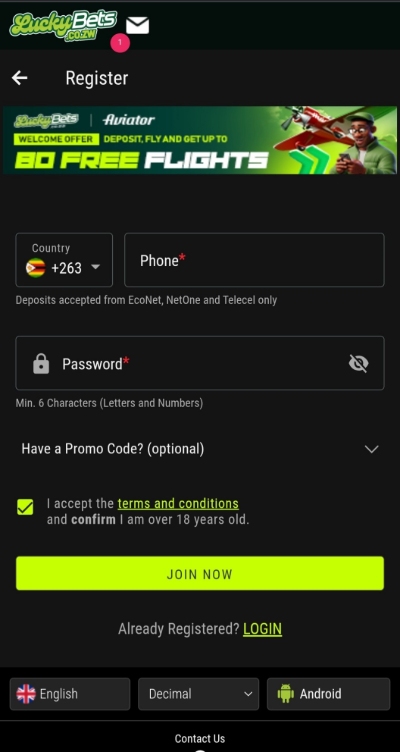
Click any of the banners on this page to visit the official LuckyBets website. The site’s homepage is displayed on your device. Click on the neon green JOIN tab in the top right corner to reveal the registration page. Provide your phone number and password to join LuckyBets online using Ecocash sign up.
Step 2: Go to Cashier
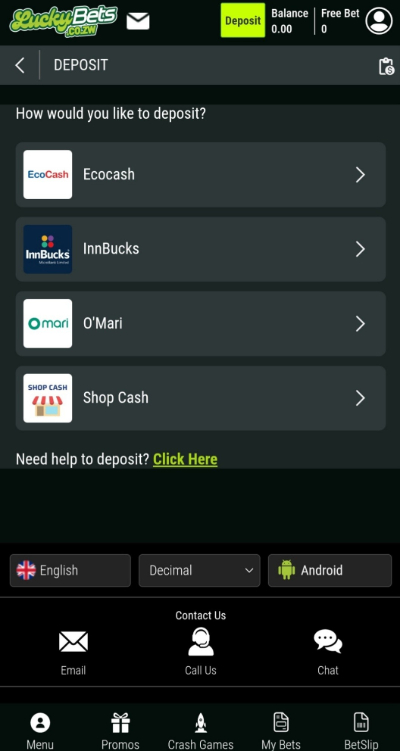
Tap on the neon green Deposit Now tab at the top of the screen. A list of payment methods accepted by LuckyBets will show up. Select Ecocash from the available options. The Ecocash payment page is launched on your screen. Your phone number is displayed, including the different deposit amount options.
Step 3: Enter Amount
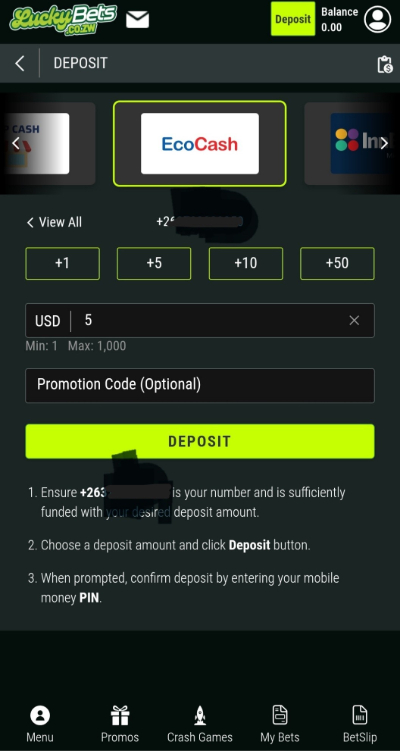
Type in the amount you want to deposit in the field labelled USD. The minimum you can deposit is $5, and the maximum is $1,000. You can adjust the figure in multiples of $1, $5, $10, and $50. Click the green Deposit tab to complete the transaction. No LuckyBets Ecocash short code is required.
Step 4: Confirm the Transaction
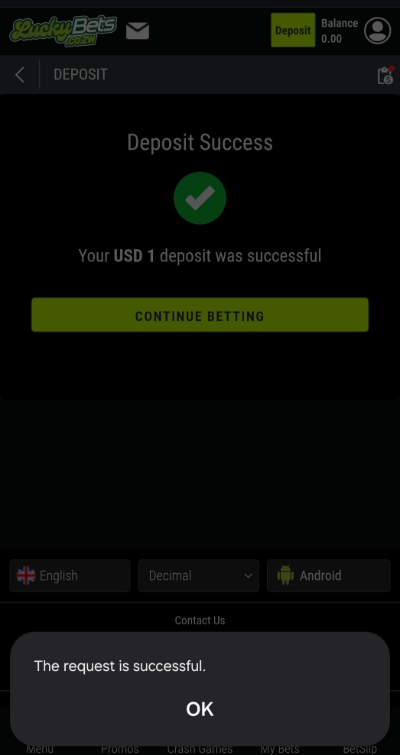
A message will appear prompting you to enter your Ecocash PIN. Tap Send once you do. You don’t have to enter a LuckyBets merchant code 2026. If your Ecocash balance is sufficient, your deposit is processed right away. A message will show up confirming your deposit was successful. You’re now ready to start betting.
LuckyBets Online Deposit Using Ecocash Troubleshooting
Making an Ecocash Deposit is quick and easy, all things being equal. However, sometimes your deposit won’t reflect. Use these tips to resolve the issue or avoid it entirely.
Verify Your Ecocash Number
The phone number displayed on the Ecocash payment page must be registered on Ecocash under your name. The name must match your LuckyBets Zimbabwe registration details.
Approve Deposits Promptly
You have a short window to enter your Ecocash PIN and approve your deposit before the session expires. Enter the PIN quickly anytime you transact on LuckyBets online using Ecocash app.
Use the Correct Currency
When depositing money for LuckyBets online using Ecocash download, confirm that you’ve selected the correct USD currency for your deposit. If you accidentally use ZIG, your LuckyBets USD balance won’t be updated.
Take a Screenshot
Always take a screenshot of the deposit confirmation each time you visit LuckyBets online using Ecocash login. If the deposit doesn’t reflect in your account, forward the screenshot to the support team.
Stay Within the Deposit Limit
Don’t deposit more than the required limit on any given day. This can cause your deposit to stall.
Deposit in Less Than a Minute
It takes less than a minute to deposit money into your LuckyBets account using Ecocash after LuckyBets login.You must be registered with both LuckyBets and Ecocash to facilitate this transaction. It’s as simple as logging in, selecting Ecocash, and submitting your deposit amount. You get to approve all Ecocash deposits using your personal 4-digit PIN.
Just make sure your Ecocash account is adequately funded, and your LuckyBets profile name matches your Ecocash details. No need to worry about a LuckyBets Ecocash biller code. Always take a screenshot of your deposit confirmation in case your deposit takes long to show up.
| LuckyBets | Up to 80 free Aviator Flights | Bet Now |
LuckyBets Ecocash Deposit FAQs
⌛ What can cause my deposit to delay?
Network congestion, profile name mismatches, and choosing the wrong Ecocash currency can delay your deposits.
📈 What is the maximum I can deposit using Ecocash at LuckyBets?
You can deposit up to $1,000 in one go using Ecocash at LuckyBets