The PremierBet app brings match betting, casino games and account management onto your phone. Android users can follow the download route on PremierBet Zimbabwe’s website, and an official Premier Bet Sports Betting listing is also available in the Zimbabwe App Store for iPhone and iPad.
The useful question is what that gives you beyond a saved browser tab. This guide looks at getting the right version, finding events, checking a betslip and returning to your payments and rewards. You can also use the mobile website if you do not want another app installed.
| PremierBet app detail | Your options |
|---|---|
| Android | Follow the official Zimbabwe website’s Android download route |
| iPhone and iPad | Premier Bet Sports Betting in the Zimbabwe App Store |
| iOS compatibility | iOS/iPadOS 15.5 or later on the current listing |
| Account | Your PremierBet account and balance |
| Alternative | The Zimbabwe mobile website in your browser |
Download PremierBet on Android
1. Start with PremierBet Zimbabwe
Open PremierBet Zimbabwe rather than a different country’s site. Find the app download option or Android App Information link. Country matters because payment menus, account access and promotions can differ between PremierBet markets; the same green logo does not make every download page interchangeable.
2. Download the APK
Use the download button supplied by PremierBet and wait for the APK to finish. Open the completed file from your browser’s download list. Avoid downloading several copies when the first is still in progress, particularly if you are using a limited mobile bundle.
3. Complete Installation
Android may ask you to allow the browser handling the file to install apps. Review the prompt, confirm that you came through PremierBet’s official download route and continue if you choose. Once installation is complete, open the app and sign in. You can remove that installation permission afterwards.
4. Check the Account Region
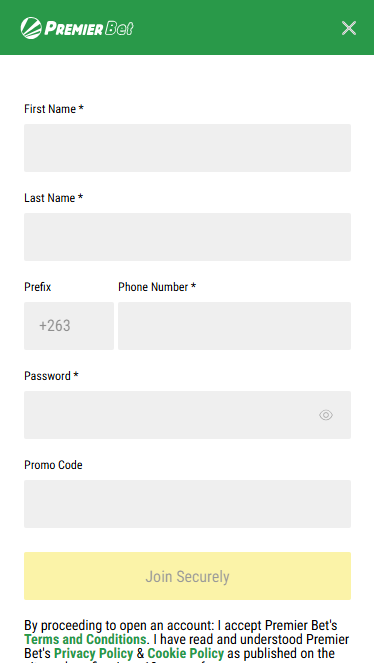
Before making a payment, make sure the account and cashier are set up for Zimbabwe. Use your existing login if you already have an account. If you are new, complete the registration form with your own mobile number and identity details, then follow the verification steps requested.
PremierBet on iPhone and iPad
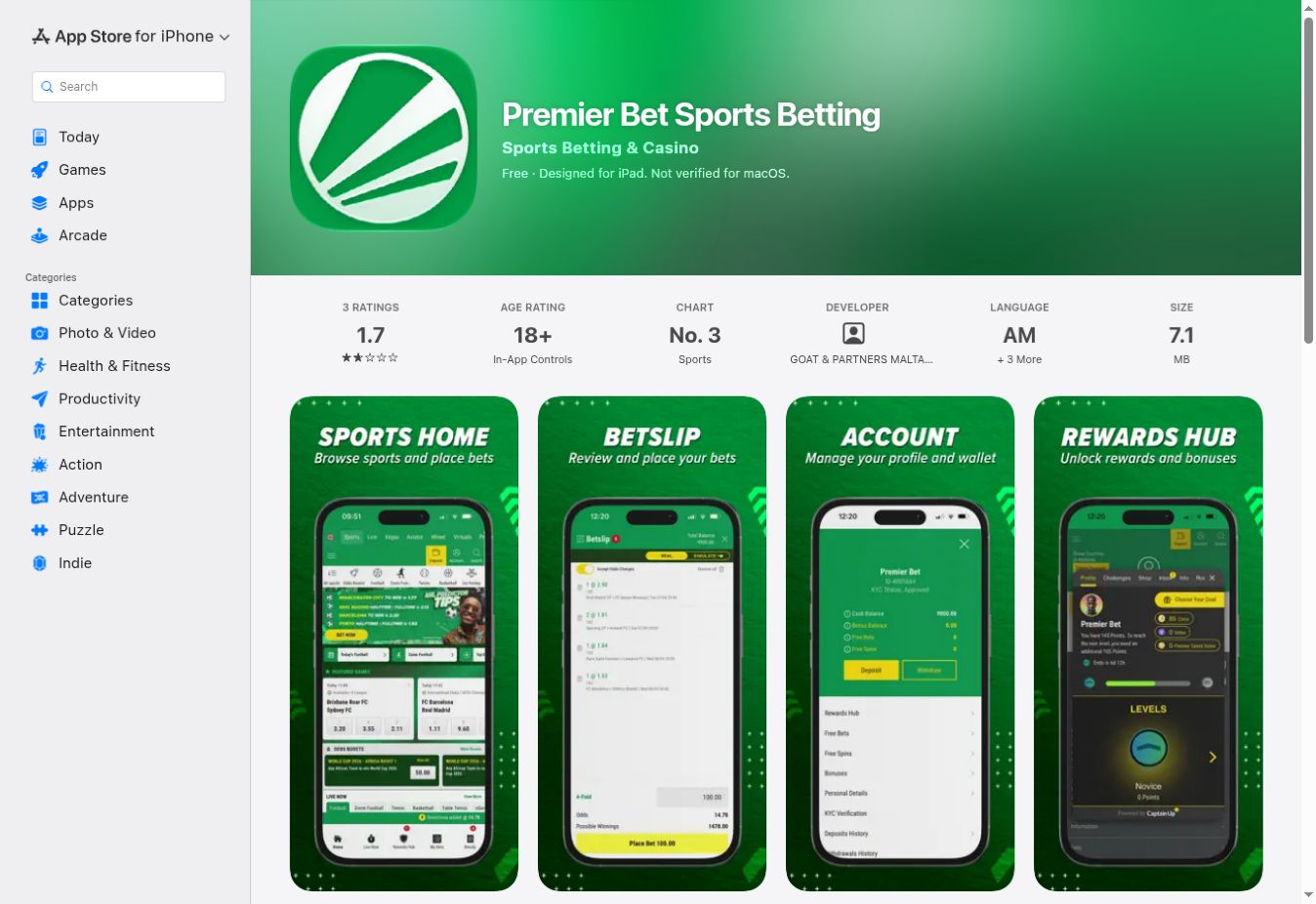
The Premier Bet Sports Betting App Store listing is available in the Zimbabwe storefront. Check that the developer is GOAT & PARTNERS MALTA LIMITED. The listing currently requires iOS or iPadOS 15.5 or later; your device’s App Store will show its compatibility and current download size.
Tap Get in the App Store and follow your normal Apple installation process. If your device cannot install it, open PremierBet Zimbabwe in Safari instead. Share → Add to Home Screen gives you a shortcut to the mobile website. An Android APK cannot be converted into an iPhone app by changing its filename.
Finding Sports and Fixtures
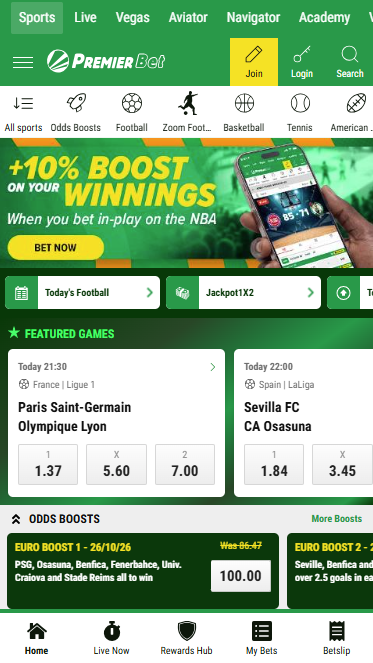
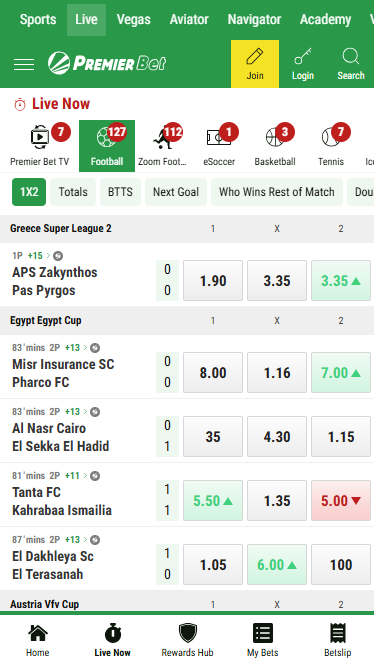
The sports home brings competitions and fixtures together, with separate routes for pre-match and live betting. Start with the sport and league you follow, then open the event to see the markets available for that match. Use search when you know the team name rather than scrolling through unrelated fixtures.
For football, match result, goals and handicap selections answer different questions. A bet on the final result is not the same as a bet on the next period or the remaining play. Read the market label on the event screen and again in your betslip before choosing a stake.
Reviewing the Betslip
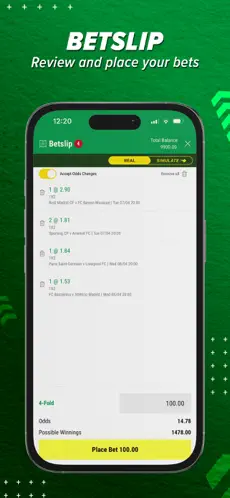
The betslip puts selections, odds, stake and possible return together before you submit. Check the team and market on every line, especially if you have combined matches into an accumulator. A larger possible return also means more selections need to win.
Return to My Bets to follow your existing tickets. Do not resubmit simply because a screen took longer to update; first check whether the original ticket was accepted. For live selections, review the latest odds again because a price can change during the time it takes to switch screens.
Casino, Aviator and Rewards
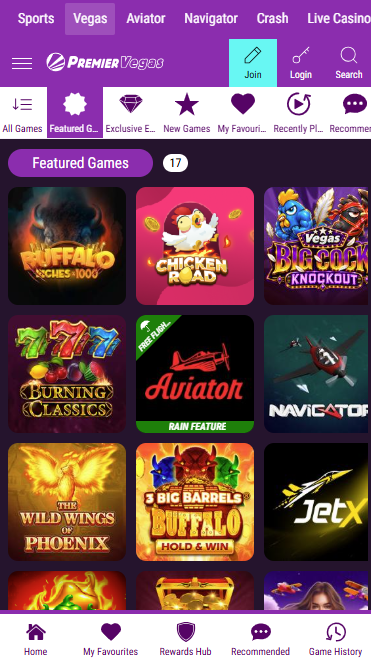
PremierBet’s casino selection covers slots, table games, crash games and live dealer titles. Search for Aviator by name when that is the game you want, or choose the relevant casino category before opening a title. Read the game information to check its stake range and features.
Rewards Hub is separate from the ordinary cash balance. Points, coins, free bets and free spins are different reward types, and an entry in the rewards area is not automatically money you can withdraw. Open the reward itself to see what it can be used for.
Managing Payments and Your Account
The account area brings your wallet, personal details and transaction records together. Choose Deposit or Withdraw, select a method available for your Zimbabwe account and follow the cashier’s instructions. EcoCash, InnBucks and O’Mari are among the local methods supported by PremierBet Zimbabwe.
Check the amount, registered wallet details and any verification request before submitting. Use deposit and withdrawal history to follow what happened to a transaction. A successful deposit does not mean every withdrawal method has the same limits or processing time.
Choosing a Bonus on Mobile
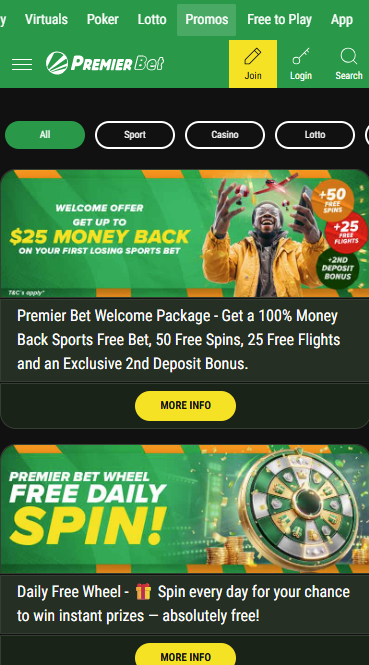
Read our PremierBet Zimbabwe bonus guide before the deposit you want to qualify. A sports free bet, a Vegas deposit bonus and Aviator Free Flights have different uses. Choose the offer suited to your play, then complete its activation steps; installing the app does not create another welcome-bonus entitlement.
Troubleshooting PremierBet Downloads
| Problem | Useful first check |
|---|---|
| Android will not install the APK | Confirm the file finished downloading and read the browser’s installation permission prompt. |
| iPhone cannot open the file | Use the App Store listing or Safari; APKs are for Android. |
| App loads but login fails | Check the country selection and login details, then use the password-reset option. |
| Games or fixtures stop loading | Check your connection and try the official mobile site to distinguish an app issue from a wider outage. |
| Payment has not appeared | Review transaction history and keep the wallet reference before repeating the payment. |
Our PremierBet App Verdict
PremierBet offers a useful mobile route if you want sports, casino games and rewards within one account. The betslip and account shortcuts matter more than a small download figure, because those are the screens you return to most. Use the official Android route or the iPhone listing, and choose the mobile website if you prefer to keep installation simple.
PremierBet App FAQs
📲 Where do I get the PremierBet Android app?
Start on PremierBet’s Zimbabwe website and use its official app download or Android App Information route. Wait for the APK to finish downloading before opening it.
🍎 Can I get PremierBet on an iPhone?
Yes. Premier Bet Sports Betting has a listing in the Zimbabwe App Store for compatible iPhone and iPad devices. The current listing requires iOS or iPadOS 15.5 or later. The mobile website is another option.
🔑 Can I use my existing PremierBet login?
Use your existing PremierBet account for the appropriate country. Check the Zimbabwe account region before funding it. An app installation does not give you another new-player account or reward.
💰 Where are deposits and withdrawals?
Open the account or wallet area and choose Deposit or Withdraw. Select an available method, review its limits and keep the payment reference until the transaction appears in your history.
📱 Do I have to install an app?
No. You can use PremierBet Zimbabwe through your phone’s browser. On an iPhone, Safari’s Add to Home Screen option gives you a shortcut to the mobile website.