The quickest way to see today’s matches is the MWOS sportsbook: open Sports, pick a league and every fixture is listed with its kickoff time and odds. If you’d rather not log in at all, follow our WhatsApp channel for the day’s fixtures on your phone.
How to find today’s fixtures on MWOS
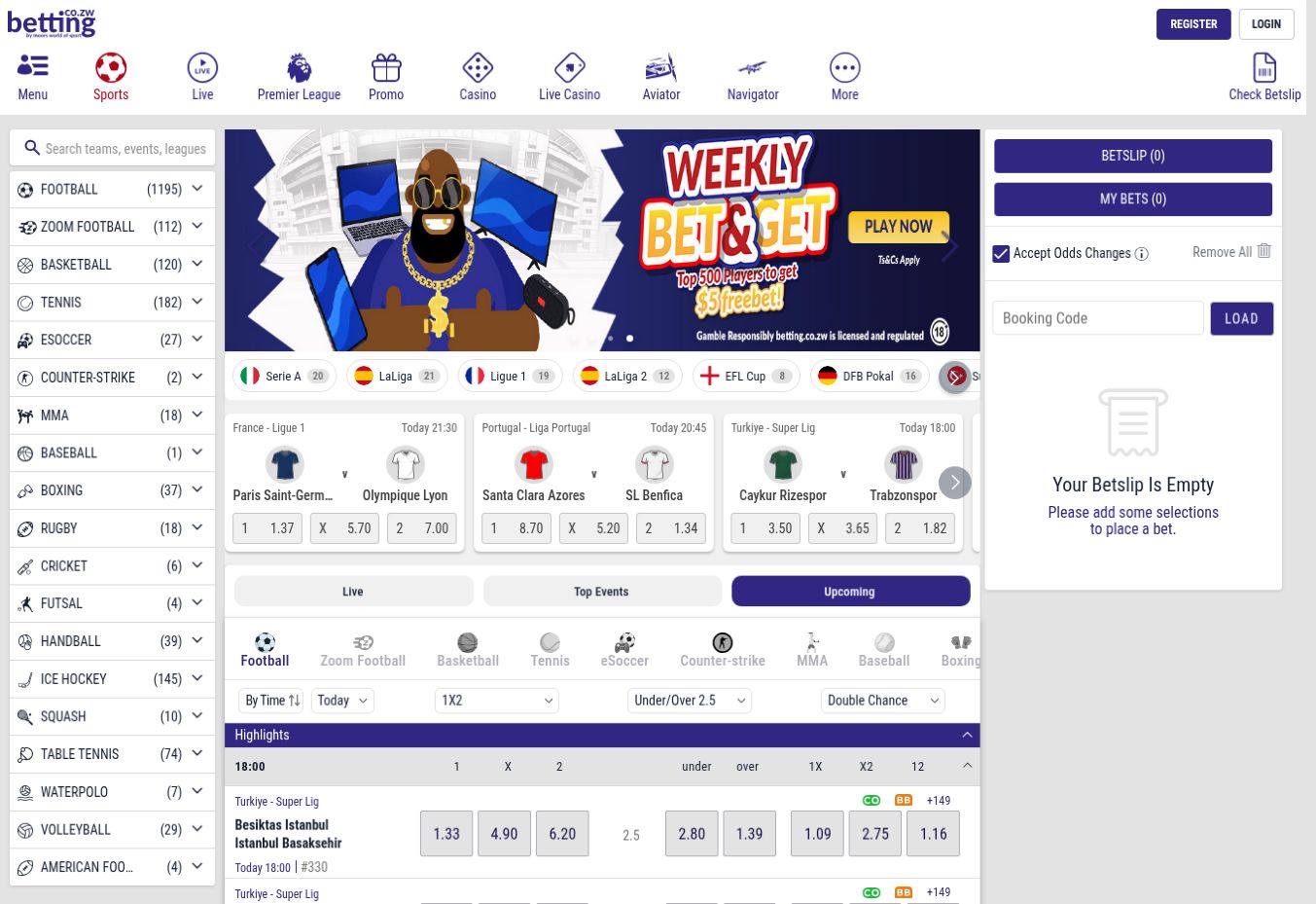
- Open the MWOS website or app. You can browse fixtures without logging in.
- Tap Sports and choose Football, or use the Premier League shortcut.
- Pick a league or type a team name in the search.
- Tap a match to see all its markets, then add your pick to the slip.
Example: You want Dynamos’ next game. Type Dynamos in the search instead of scrolling through every league. If you see two Dynamos matches, check the label: one could be a women’s or reserve fixture.
Live matches and moved fixtures
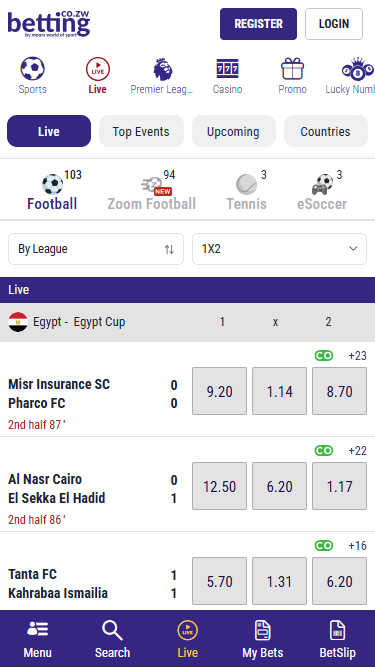
Once a game kicks off, it moves to the Live section, so check there if a match has vanished from today’s list. Kickoff times can also change. If you picked up a printed fixture sheet at an MWOS shop, compare it with the sportsbook before betting, because the sportsbook always has the latest time and odds.
Get today’s fixtures on WhatsApp

Don’t want to log in just to see who’s playing? Follow our WhatsApp channel. We post the day’s key fixtures, kickoff times and the best MWOS offers straight to your phone. You don’t need an MWOS account to follow it, and it’s free.
- Tap the banner above on your phone.
- WhatsApp opens the channel. Tap Follow.
- Turn on notifications with the bell icon so you see new posts.
Some advice: Following the channel doesn’t share your number with other followers. You can unfollow at any time.
Place your bet with MWOS
New players get a 100% first deposit bonus up to $500 as a free bet, or up to 100 Aviator Free Flights. See our MWOS bonus guide, and our guide to checking an MWOS ticket once your bets are on.
FAQs
🔎 What’s the quickest way to find my team?
Type the team name in the search instead of scrolling through every league. If two matches show up, check the label. Search for Dynamos, for instance, and one of the results could be a women’s or reserve fixture.
⚽ Is there a shortcut to Premier League games?
Yes. The sports menu has a Premier League shortcut, so you can jump straight to the weekend’s English games without going through Football and then England.
❓ Why has a match disappeared from today’s list?
Either it has kicked off and moved to the Live section, or its kickoff time has changed. Check Live first. If it isn’t there, search for the team to see the new time.
📄 Is a printed fixture sheet up to date?
Not always. Sheets from MWOS shops are handy for planning, but kickoff times and odds can change after they’re printed. Compare your picks with the sportsbook before you bet, because it always shows the latest information. If you bet in a shop, our guide to MWOS terminal betting walks you through it.
💬 How do I follow the WhatsApp channel?
Tap the banner on this page from your phone, then tap Follow when WhatsApp opens the channel. Turn on notifications with the bell icon so you don’t miss new posts. It’s free, your number isn’t shown to other followers, and you can unfollow whenever you like.