Opening a LuckyBets account takes about two minutes. You need your mobile number, your first and last name and a password. LuckyBets then texts a 5-digit code to confirm the number, and your account is ready.
Once you’re in, a first deposit unlocks up to 80 Aviator Free Flights, and you can play LuckyBets’ free prediction games every week. Here’s each step, with an example of what to type.
What you need before you start
- A Zimbabwean mobile number you use every day. Econet, NetOne and Telecel numbers all work.
- Your first and last name, as they appear on your ID.
- A password of at least 6 characters that mixes letters and numbers.
Some advice: Register with the same number you use for EcoCash, OneMoney or Telecash. Deposits and withdrawals are then linked to the right account from day one.
How to register at LuckyBets
- Open luckybets.co.zw and tap Join at the top right.
- Enter your mobile number, then your first and last name.
- Choose a password of at least 6 characters with letters and numbers.
- Read the Terms and Conditions and tick the box to agree.
- Tap Join Now.
Example: Your name is Tendai Moyo and your number is 0782 345 678. Type Tendai and Moyo in the name boxes and 782345678 in the number box after +263. A password like Moyo26 meets the minimum of 6 characters with letters and numbers, but a longer one such as Moyo2026bet is safer.
Confirm your number with the 5-digit code
- LuckyBets sends a 5-digit code by SMS to the number you entered.
- Type it where the site asks for it.
- Tap Submit. Your account is now active.
Enter the code before it expires. If it hasn’t arrived after a minute, log in, open My Profile and check the number is correct. If the number is right and the code still doesn’t come, contact LuckyBets support.
Common LuckyBets sign-up problems
| What happens | Why | What to do |
|---|---|---|
| Password not accepted | It’s shorter than 6 characters or has no numbers | Use at least 6 characters with letters and numbers |
| No SMS code | Wrong number or weak signal | Check the number in My Profile and wait for signal |
| “Number already registered” | You opened an account before | Log in or reset your password instead of registering again |
| Can’t withdraw later | Your ID isn’t verified yet | Upload your ID in your account before your first withdrawal |
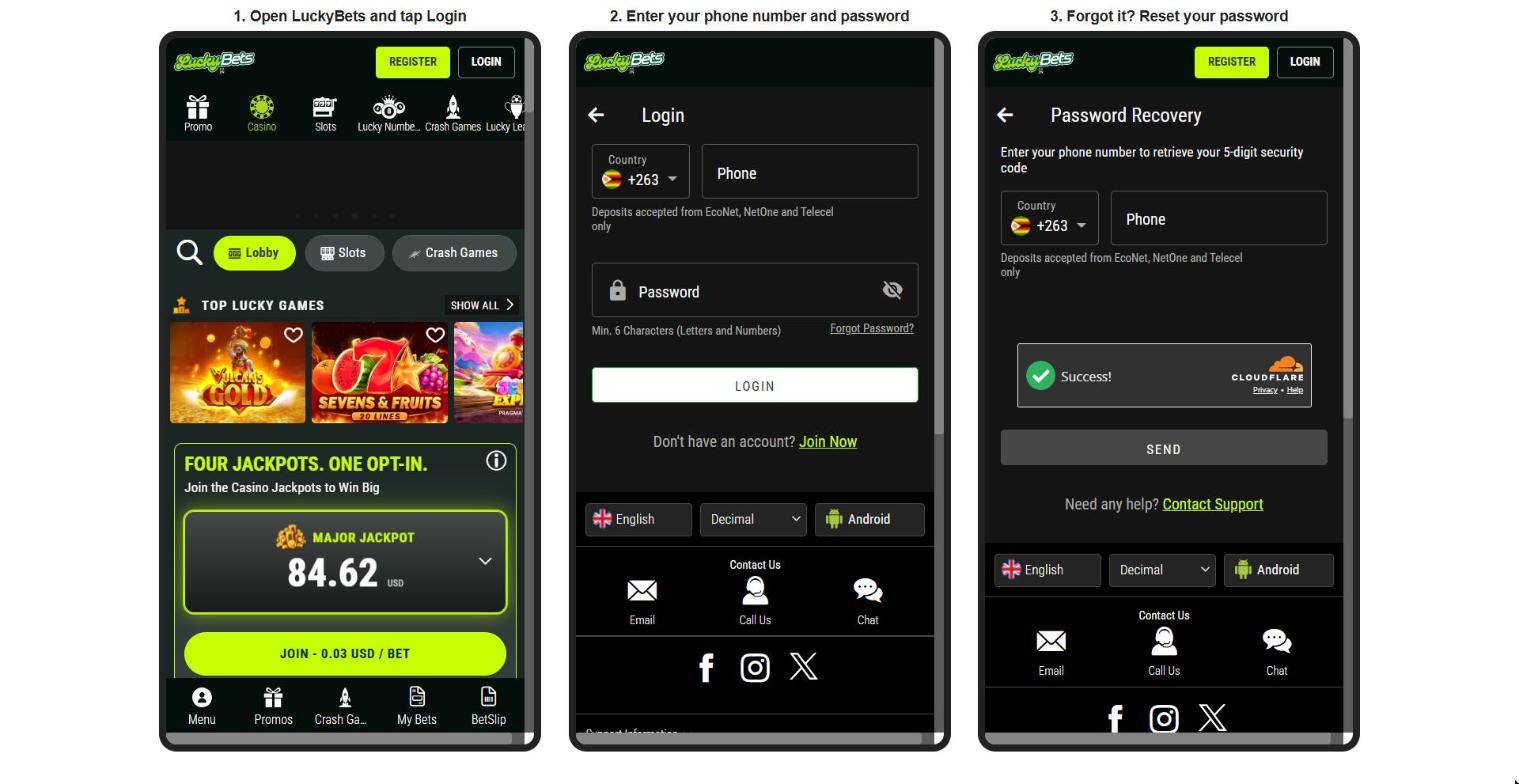
If you already have an account, our LuckyBets login guide shows how to sign in and reset your password.
After you register: claim up to 80 Free Flights
Your first deposit opens the LuckyBets welcome offer of up to 80 Aviator Free Flights. LuckyBets also runs weekly sports free bets and two free prediction games, Lucky6 and LuckyGoals. Our LuckyBets bonus guide explains how each one works.
To fund your account, follow our LuckyBets EcoCash deposit guide or InnBucks deposit guide.
Some advice: Never share your password or the 5-digit code, even with someone who says they work for LuckyBets.
FAQs
What do I need to register at LuckyBets?
A Zimbabwean mobile number, your first and last name and a password of at least 6 characters.
How long is the verification code?
Five digits, sent by SMS to your number.
Which networks can I use?
LuckyBets accepts Econet, NetOne and Telecel numbers.
Is there a welcome bonus?
Yes. A first deposit unlocks up to 80 Aviator Free Flights.